Nextcloud increasingly relevant

Håvard Røste
May 20, 2026
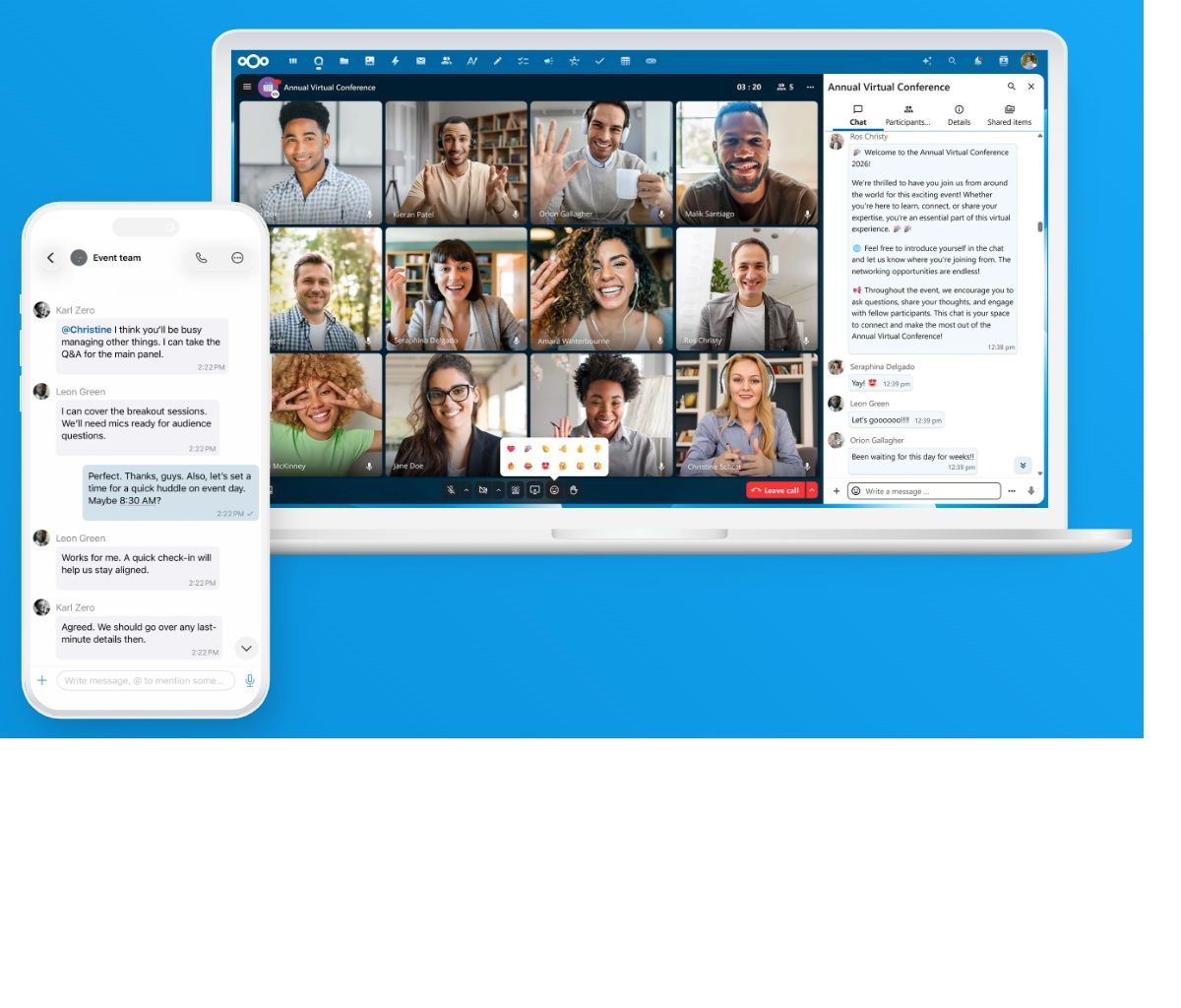
The office and collaboration platform Nextcloud is emerging as a red-hot alternative to the more established solutions from "big tech".
How does the solution work in practice? And is it suitable for everyone?
I've gained quite a bit of experience after using the solution daily for about a year.
Control over your data
A lot has been written and said about digital sovereignty lately. More and more public bodies and businesses see the need to gain control of their own data - and to be independent of "big tech" - the American tech giants.
Breaking free from big tech's web can hardly be called easy, but the alternatives are becoming ever more numerous and better. One of the most complete solutions and alternatives out there is Nextcloud.
In short, Nextcloud is an office and collaboration suite that includes most of what an organisation needs to collaborate: file storage, sharing, calendar and meeting tools. The platform is developed in Germany and is based on open source.
There are many similarities between Nextcloud and services like Office 365 and Google Workspace, and those used to the Microsoft world in particular will likely feel right at home. That said, the design experience (UX/UI) still lags a bit behind what's considered cutting-edge, and is somewhat reminiscent of the Office suite from about 10 years ago.
You can "host" the solution yourself, on your own machines, or you can rent server space wherever you like. For most people, the latter is probably the simplest and most relevant option.
A neat feature of Nextcloud is that you can run the solution on your own domain. That means you can, for example, have an address like nxt.yourcompany.com in front of every link to files, meetings and other things you share.
Price-wise, there's a lot to gain from ditching big tech. Nextcloud is open source and, in that sense, free. That is - "free" - because you still need somewhere to run the solution (hosting), and you may also need some help with installation and support along the way.
The biggest cost, though, is probably learning a new platform, and from experience I know many people are sceptical about that. Perhaps with good reason - if you've been using the Office suite or Google's tools for the past 20 years, those habits are pretty deeply ingrained.
A step-by-step transition
One possible approach is to test parts of the Nextcloud suite without going all in - the file storage, for example. It can also be smart to have a few people in the organisation try out the solution before deciding on a full-scale transition.
Technically, the solution has worked well for me, aside from a few minor hosting hiccups, which the provider (see below) fixed very quickly.
A downside for many will be email handling. Nextcloud isn't quite on top of this. A genuinely good email client isn't part of the package, and users are referred to, for example, Thunderbird or continued use of clients from big tech. Proton Mail has also emerged as a relevant email provider lately.
Personally, I've used Betterbird for the past few months, as well as eM Client. The former is a version of Thunderbird, apparently more optimised, which I find works very well. A downside with both of these tools, though, is integration with digital meetings via Nextcloud Talk. I've fiddled with this quite a bit without quite figuring it out. There's still some way to go before there are seamless connections between this type of tool.
A big thank you goes to the amazing people at WP-Hosting, who let me play around and test to my heart's content on their complete Nextcloud solution. WP-Hosting is one of very few providers in this country offering this office suite in a fully set-up and managed version - on servers in the Nordics. On top of that, their service is absolutely fantastic!
The full post is coming soon, but in the meantime, take a look at this earlier blog post on Håvard Røste's private blog, www.roste.no.